The Tidewave Toolbar and Tidewave IDE includes an inspector that allows you to point and click to elements on the page and request changes. The Inspector understands both server-side templates and client-side components and use this information to augment the prompt sent to agents.
Usage
You can find the inspector on your Tidewave Toolbar, on the top right of your browser window. Once enabled, you can hover page elements:
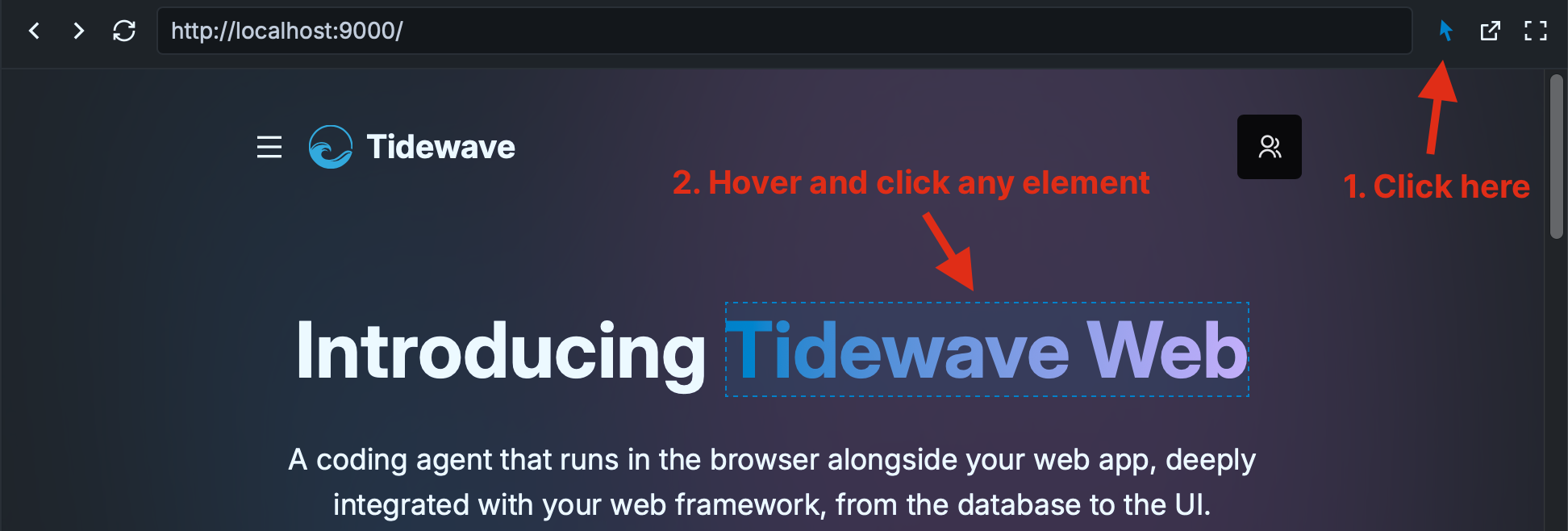
Clicking any element adds it to your prompt, which you can then copy and submit to your coding agent.
You can click multiple elements and ask multiple elements to be changed at once. Once you send the prompt, Tidewave will include precise information about that element, such as its location on the page, part of its contents, as well as the server-side templates and client components involved in rendering the particular element.
Tidewave IDE
The inspector is available in the Tidewave IDE by clicking the inspector icon on the top right. Both have the same functionality.
Depth-based inspector
Sometimes you may want to select an element that is behind another element. To do so, simply right-click any position and Tidewave will open up a contextual menu with all DOM elements at the chosen point! Then you can either use the keyboard or the mouse to select the desired element:
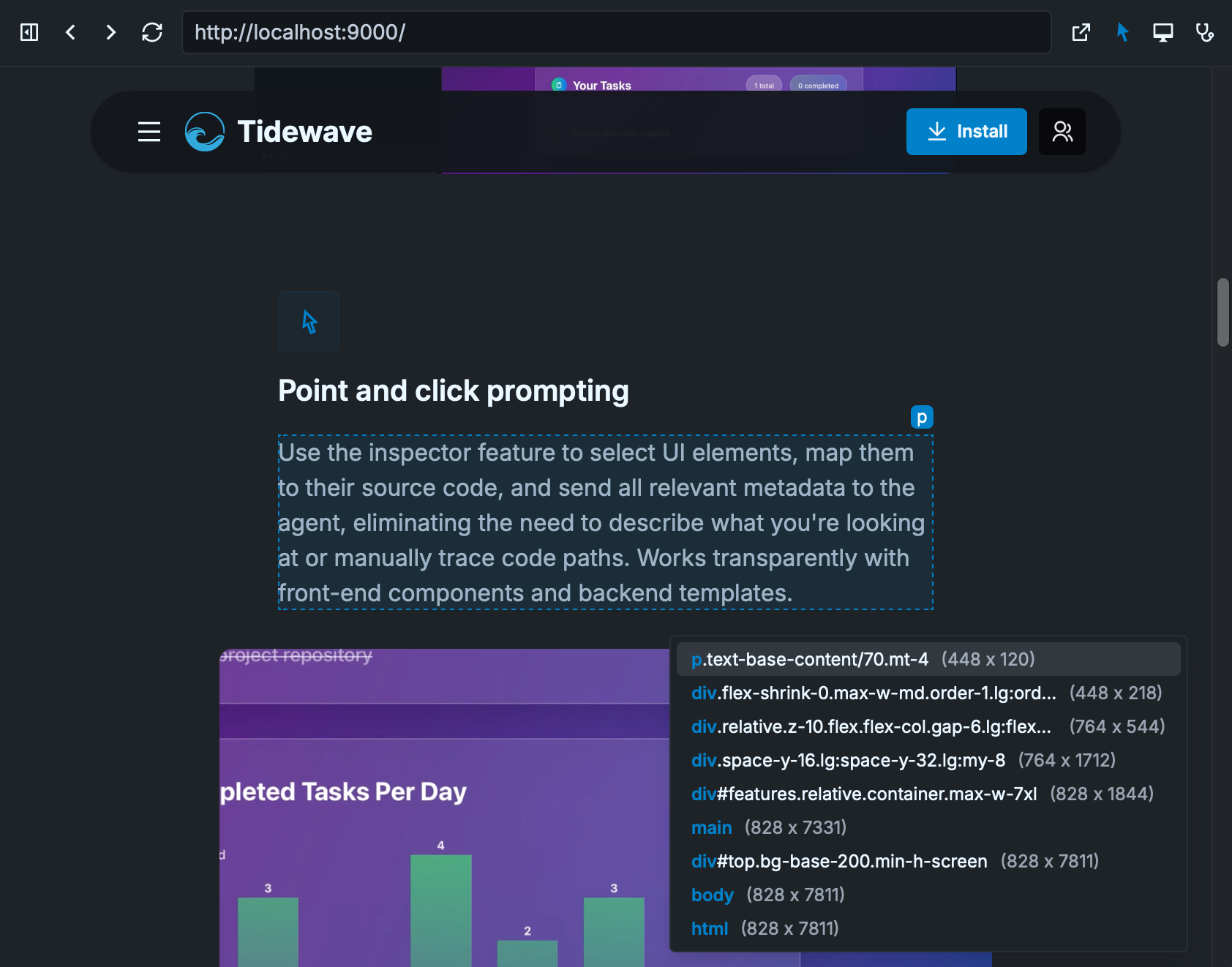
In the screenshot above, after right-clicking the paragraph, a contextual menu appeared on the bottom right, which allows us to navigate all elements at that position.
Framework overlay
By holding the Ctrl key (or Cmd key on macOS) while the Inspector is enabled. We will automatically show template/component metadata in a purple overlay. See the video below:
Clicking the element while the Ctrl key (or Cmd key on macOS) is pressed will open up the template/component in your configured editor.
Shortcuts
While the inspector is enabled, you can:
Right-click: enables a menu with all elements at the given positionCtrl+ClickorCmd+Click(macOS): when hovering an element, you may Ctrl+Click it, and Tidewave will open up the element in your editor using your configured editor integrationEscape: disables the Inspector