You can use the Tidewave Toolbar and Tidewave IDE to create a design canvas where you can visually explore and refine interface ideas with your coding agent. You can compare multiple directions side by side, visualize multiple screens, and even build wireframes.
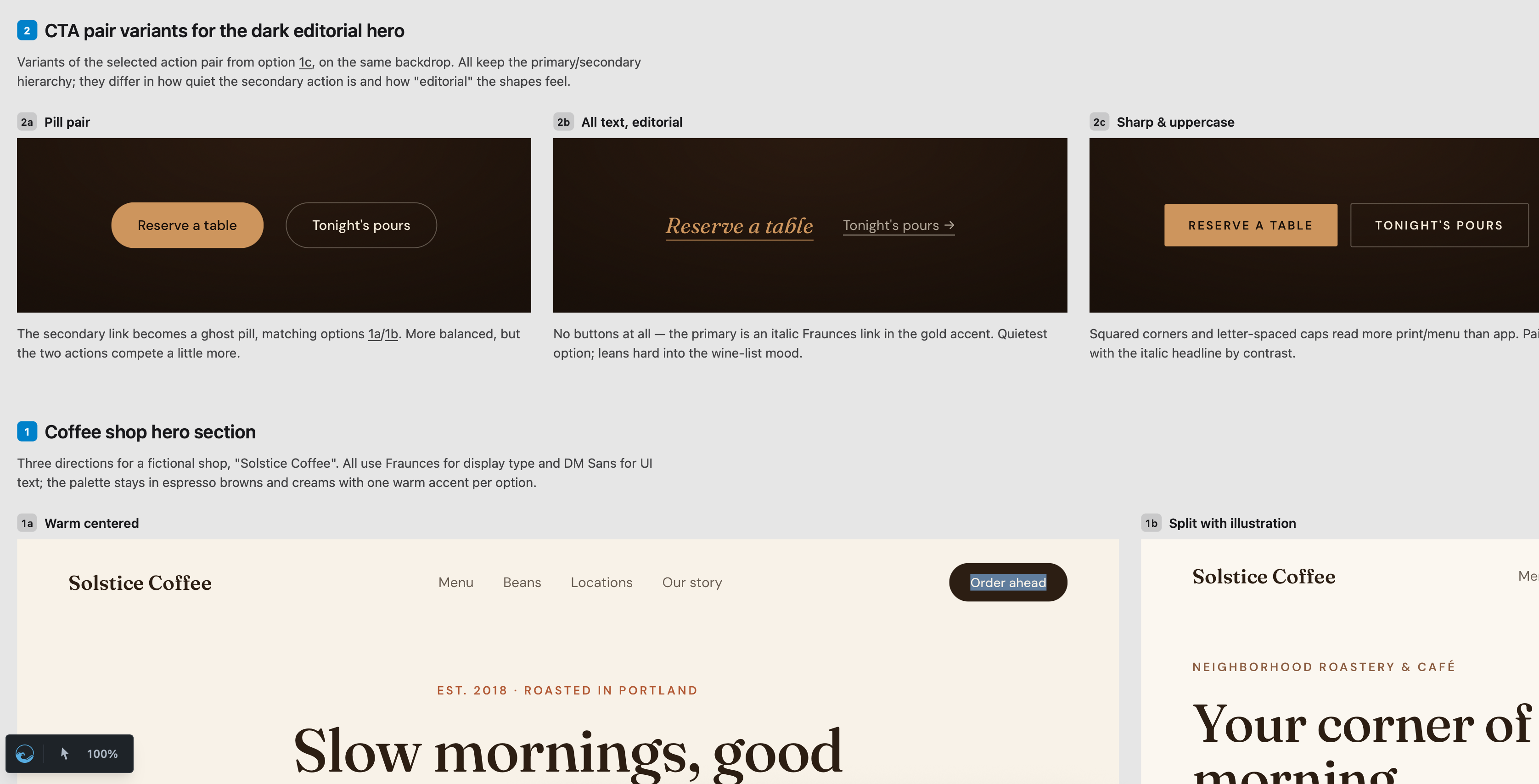
The canvas is a standalone HTML file, written to disk, which you can check-in into version control or share with your colleagues on Slack. Here is a sample design canvas for a coffee shop website.
The design canvas is created by invoking the create_design_canvas tool. It comes with both inspector and zoom features. You can also use drag and drop to navigate the canvas, or hold Cmd/Ctrl and use your scroll wheel to zoom in and out.
To use the design canvas with the Tidewave Toolbar, you need to set up the Tidewave MCP, which contains the create_design_canvas tool. If you are using the Tidewave IDE, no additional configuration is needed, simply ask Tidewave to start a design canvas for you. The Tidewave IDE can also load the canvas and automatically reload it as the coding agent updates it.
Design canvas vs UI variants
Tidewave also has a feature called UI variants. Use UI variants when you want to try out different variations of a component within an existing page. Use the design canvas when you need to step back and explore different versions at a macro level, visualize navigation across screens, or when you need to share the artifact with colleagues.